


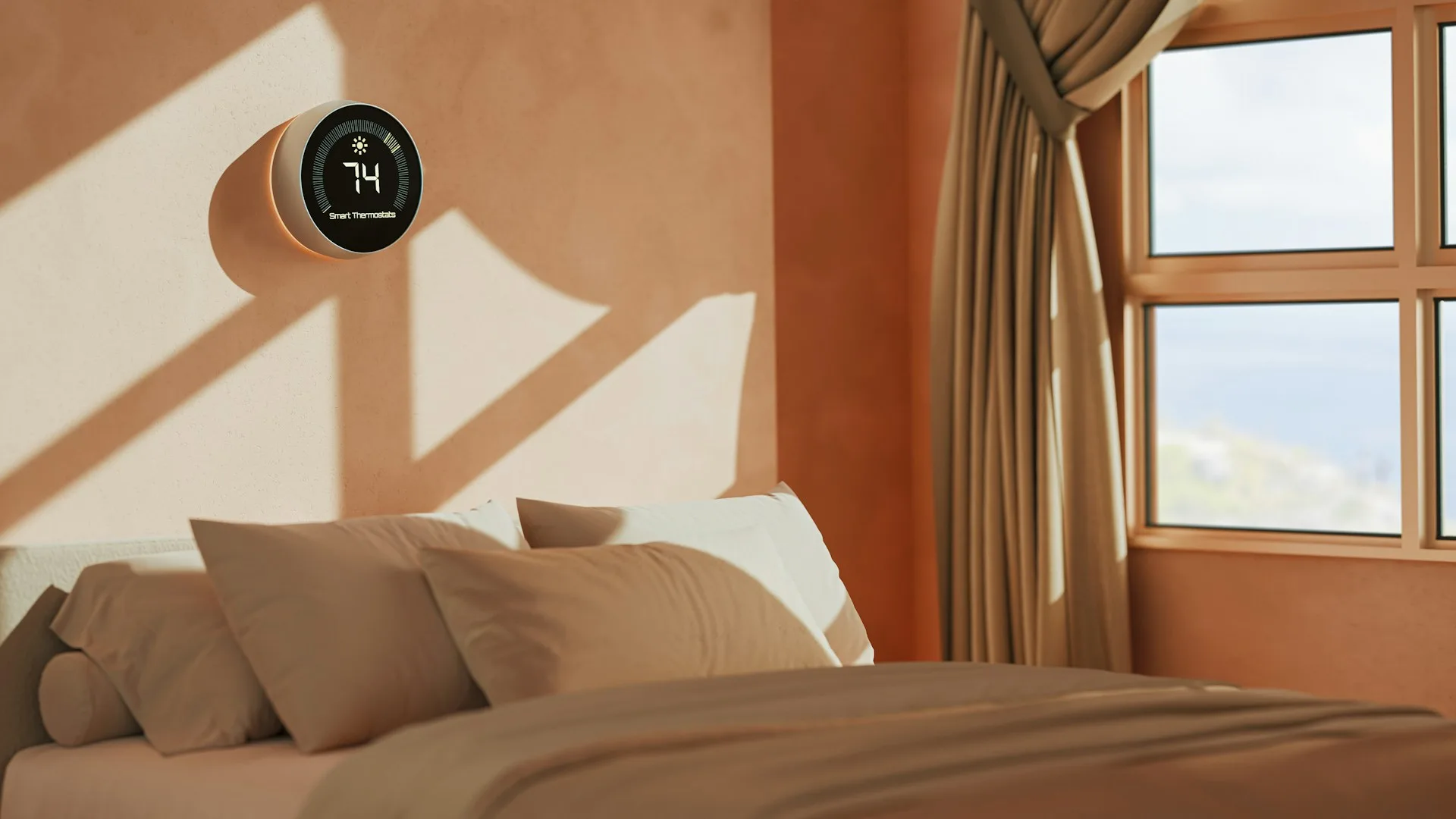
The Google Nest Learning Thermostat (4th gen) is the best smart thermostat for most homes, the Ecobee Smart Thermostat Essential covers the basics for less, and the Aqara Thermostat Hub W200 is the pick for Apple households.
The original Nest Learning Thermostat pioneered the concept of the smart thermostat, but since then a number of excellent competitors have started to pop up. In other words, you don’t have to pay Nest money to get a solid smart thermostat, and you can get one that fits better in your smart home ecosystem.
The latest Nest is still among the best smart thermostats, though. The $279.99 Google Nest Learning Thermostat (4th gen), $139.99 Ecobee Smart Thermostat Essential and $159.99 Aqara Thermostat Hub W200 are all excellent options. The Nest suits someone who wants the strongest learning features and the easiest installation in an older home. The Ecobee covers the basics for less. The Aqara makes the most sense in an Apple household, particularly one that can use its extra smart-home hub hardware.
I’ve personally tested dozens of smart home thermostats over the years, and have a pretty good idea of what makes a great one. Here are the best out there right now. For the rest of your smart home, see our picks for the best security cameras and our Anker Eufy Video Doorbell S4 review.
At a glance
Features from the reviews below and the makers' specifications| Thermostat | Best for | C-wire | Matter |
|---|---|---|---|
| Google Nest Learning Thermostat (4th gen) | Best overall | Not needed in many homes | Yes |
| Ecobee Smart Thermostat Essential | Best budget | Needed, or adapter | No |
| Aqara Thermostat Hub W200 | Best for Apple Home | Needed, or adapter | Yes, plus a Matter controller |
Our picks for the best smart thermostats
Best smart thermostat overall: Google Nest Learning Thermostat (4th gen)
 Check price at AmazonWe may earn a commission.
Best for: The strongest learning features and the easiest installation in an older home
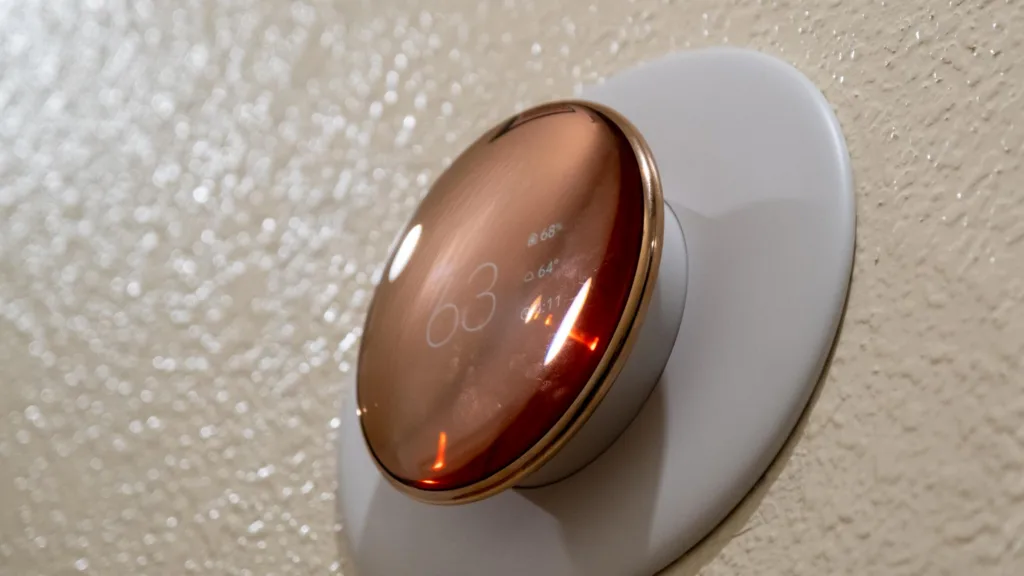
Nest was first to make smart thermostats a mainstream thing, and the best Nest is still the best smart thermostat for most. Its round, 3.9-inch body uses a smaller base beneath an edge-to-edge glass panel, giving it a floating appearance on the wall. It comes in Polished Silver, Polished Obsidian and Polished Gold, and the 2.7-inch, 600×600 display is 60% larger than the screen on the third-generation model.
It’s highly compatible too. The built-in Power Sharing feature lets the thermostat charge from existing wiring in many homes without a C-wire. On a furnace-outlet installation, that’s considerably cleaner than adding an adapter and finding somewhere to hide its cable. The Google Home app walks through the process with pictures and troubleshooting, although you’ll still need to use that app for setup and most of the smarter features.
Google includes one second-generation Nest Temperature Sensor, which can be useful if a bedroom or upper floor routinely has a different temperature than wherever the thermostat is. The thermostat supports up to six, but extras cost about $39.99 each or $99.99 for a three-pack.
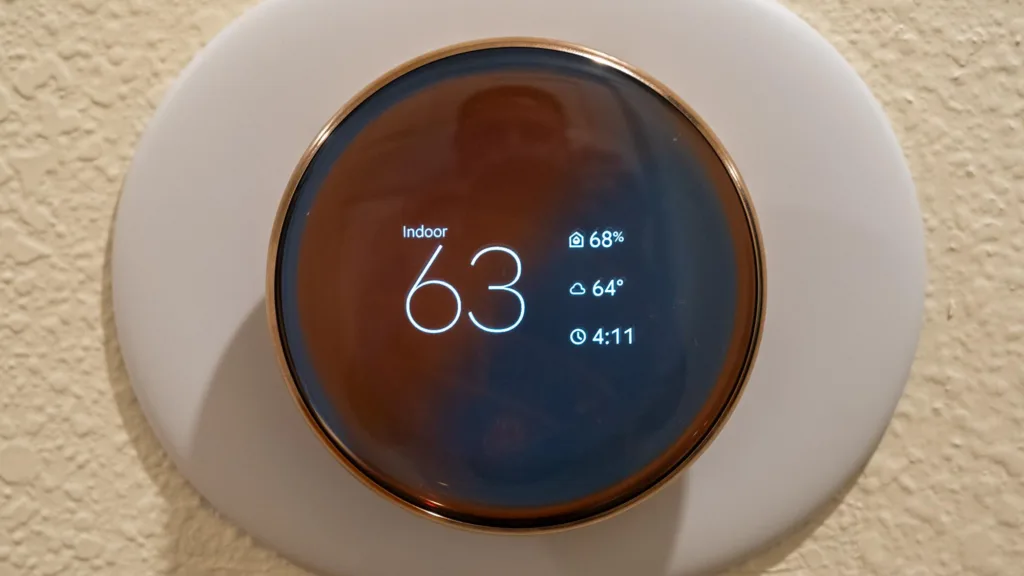
As you would expect from a Nest thermostat, there are tons of smart features built in. Smart Schedule learns household patterns and makes small adjustments. It can account for outdoor weather, pausing the heat on a sunny winter day, for example.
While Nest is owned by Google, this model isn’t locked into Google’s ecosystem. It supports Matter, which means you’ll still get basic control through Apple Home, Alexa, SmartThings and Home Assistant. You will still need the Google Home app to set the thermostat up, but at least you’ll be able to use it alongside your other smart home devices in the app you want to use.
Sure, there are other thermostats at a similar or lower price. But if you want the best combination of great design, intuitive use, and smart features, the Nest Learning Thermostat (4th gen) is the way to go.
The best combination of great design, intuitive use and smart features.
What we liked
- Stylish floating glass design
- Works without a C-wire
- Strong learning features
What we did not
- Google Home app required
- Sensors cost extra
- Expensive
Where to buy
We may earn a commission. It does not change what we measured.
Best budget smart thermostat: Ecobee Smart Thermostat Essential
Best for: Covering the basics for less
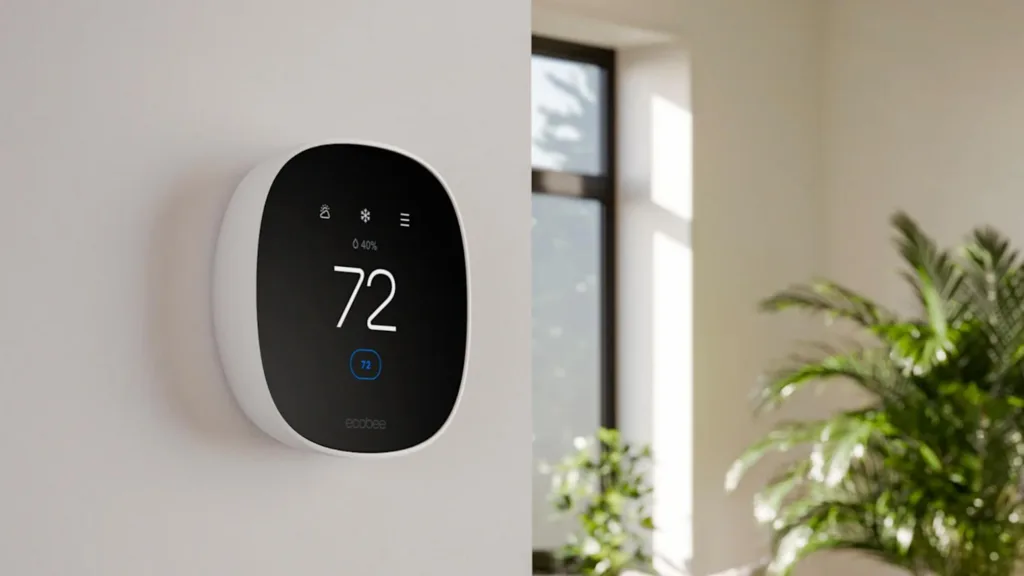
Maybe you don’t want to spend all that much on a thermostat. In that case, it’s worth considering the Ecobee Smart Thermostat Essential, which still has all the basics you’d expect, but at a lower price.
The Essential may not look as fancy as the Nest, but its 2.8-inch color LCD touchscreen still does the job, and the Ecobee app is well-designed and easy to use.
It does look cheaper than the Nest, though. The 240×320 resolution isn’t as crisp as the Nest, and the body is built largely from plastic rather than the polished metal you’ll find on the Nest.
Unlike the Nest, you’ll need a C-wire or Ecobee’s $24.99 Power Extender Kit, and if you can’t make either of those work, you may need to call an electrician to help you out. Most modern homes have a C-wire, but plenty of older furnace-based systems don’t, so it’s worth checking before you buy.
Once installed, it measures temperature and humidity, follows time-based schedules and responds predictably from the panel or app. Check the schedule created during setup before trusting it overnight, though. It’s easy to rush through those screens.
The free Eco+ tier adds Time of Use adjustments, humidity compensation and Community Energy Savings. That last feature can return up to $125 through a participating utility, depending on where you live.
When it comes to smart home standards, the Ecobee Essential isn’t bad, but it’s not as impressive as the Nest. You’ll get HomeKit, Alexa and Google Home support individually, though there’s no Matter. There’s also no built-in speaker or voice assistant, though those features may not matter to you as much.
 Check price at AmazonWe may earn a commission.
All the basics you’d expect from a smart thermostat, at a lower price.
What we liked
- Low price
- Well-designed app
- Free Eco+ energy features
What we did not
- Needs C-wire or adapter
- Plastic body, less crisp screen
- No Matter support
Where to buy
We may earn a commission. It does not change what we measured.
Best for Apple Home: Aqara Thermostat Hub W200
 Check price at AmazonWe may earn a commission.
Best for: Apple households that can use its extra smart-home hub hardware
Aqara has been making some of the better smart home devices for a while, and the Thermostat Hub W200 goes beyond standard temperature control. Alongside its thermostat hardware, the W200 contains a Matter controller, a Zigbee hub and a Thread border router. In other words, it can directly run compatible smart-home devices, bridge Aqara’s Zigbee accessories into larger platforms and connect low-power Thread devices to your home network. Aqara claims support for more than 50 device types. None of the other thermostats here can run a smart home in that way.
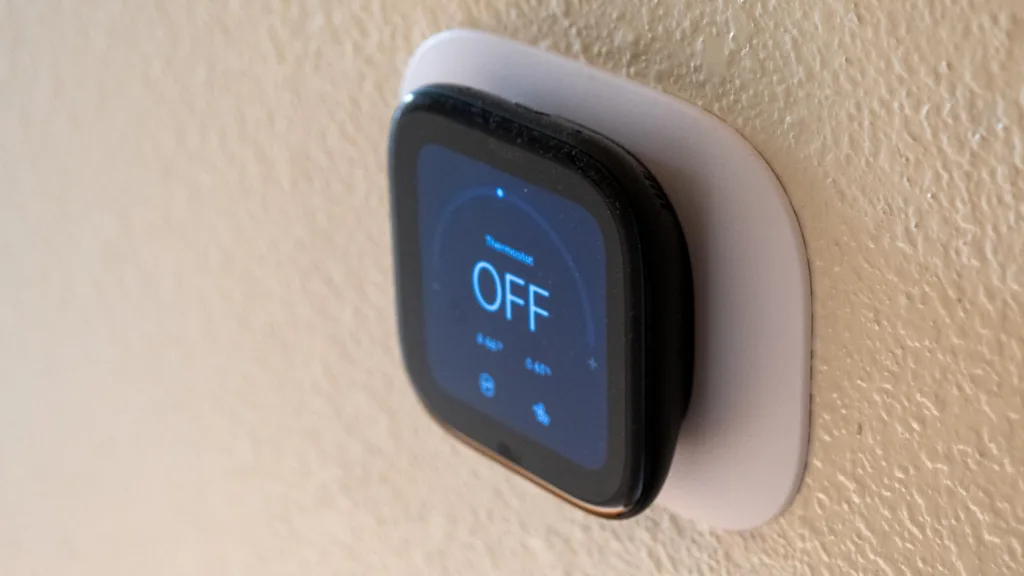
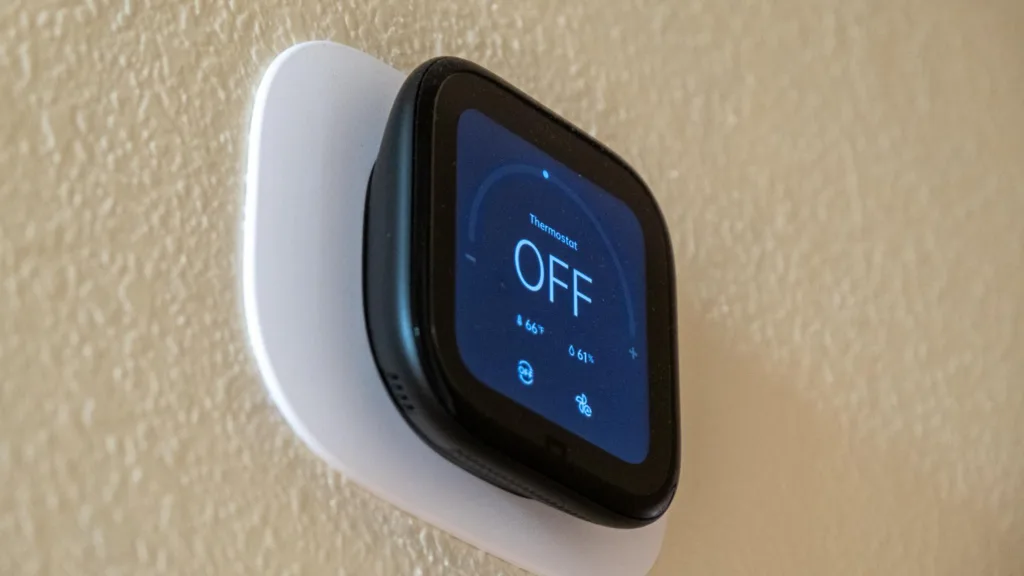
The hardware itself isn’t bad. It has a 4-inch, 480×480 touchscreen, which is larger than the other thermostats on the list. It has a rounded body and curved glass edges, which look solid, and the display can dim at night while remaining bright during the day. A millimeter-wave radar sensor, which detects presence using radio waves rather than requiring motion, wakes the screen as you approach. It can also supply presence data to automations elsewhere in the house.
The display may be large, but the black bezels around it are hard to miss, and there’s less metal in the build than on the Nest. It comes in black, and the touchscreen occasionally doesn’t respond well.
The support for Apple Home is the best thing about it, though. The W200 was the first thermostat with native Adaptive Temperature and Clean Energy Guidance, features introduced in iOS 26. Adaptive Temperature uses your iPhone or Apple Watch location, schedule, and calendar to condition the house before you usually arrive and widen the temperature range during extended trips. With a regular routine, it works quietly enough that you stop thinking about it. You’ll need iOS 26 and an Apple Home hub, such as an Apple TV or HomePod.
Apple Home’s own scheduling has gaps. That’s an Apple Home limitation, not an Aqara one, since the Aqara app does full seven-day schedules. You can’t, for example, set a later night mode on weekends than weekdays, which may send you back to the Aqara app or manual control. Clean Energy Guidance is US-only, and rate optimization covers participating US utilities.
Local Matter control works with Apple Home, Google Home, Alexa, SmartThings and Home Assistant, so basic commands can survive an internet outage without round-tripping through Aqara’s servers. Setup is less elegant. You still need the Aqara app for installation and most scheduling, plus an Aqara account just to generate a Matter pairing code.
Core heating and cooling control is solid, including a minimum compressor runtime that prevents short-cycling, where equipment switches on and off too frequently. It supports most 24-volt systems and heat pumps up to two heating and two cooling stages, but not high-voltage or proprietary communicating systems. A C-wire is required, and Aqara’s adapter costs $29.99.
At $159.99 direct or $169.95 through Apple, it sits above the Ecobee Essential and well below the Nest Learning Thermostat. For Apple Home users who want the larger screen and hub duties, it’s the most compelling option here.
For Apple Home users who want the larger screen and hub duties, the most compelling option here.
What we liked
- Doubles as a smart-home hub
- Large 4-inch touchscreen
- Best Apple Home integration
What we did not
- Aqara app and account required
- Thick bezels, touch glitches
- C-wire required
Where to buy
We may earn a commission. It does not change what we measured.
How they compare
| Feature | Google Nest Learning Thermostat (4th gen) | Ecobee Smart Thermostat Essential | Aqara Thermostat Hub W200 |
|---|---|---|---|
| Screen | 2.7 inches, 600×600 | 2.8-inch color LCD, 240×320 | 4 inches, 480×480 |
| Build | Edge-to-edge glass, polished metal | Mostly plastic | Rounded body, curved glass edges |
| C-wire | Not needed in many homes (Power Sharing) | Needed, or Power Extender Kit | Needed, or Aqara adapter |
| Sensors | One Nest Temperature Sensor included; up to six supported | Temperature and humidity | Built-in radar presence sensor |
| Matter | Yes | No | Yes, plus a Matter controller |
| Works with | Google Home; Apple Home, Alexa, SmartThings and Home Assistant through Matter | HomeKit, Alexa, Google Home | Apple Home, Google Home, Alexa, SmartThings, Home Assistant |
| Smart-home hub | No | No | Matter controller, Zigbee hub, Thread border router |
| Setup app | Google Home | Ecobee | Aqara (account required) |
Who tested it

What we could not test
- Energy savings depend on your home, climate, heating and cooling equipment and utility, so this guide doesn’t put a number on them.
- Check your wiring and system type before you buy: the Ecobee and Aqara need a C-wire or an adapter, and the Aqara doesn’t support high-voltage or proprietary communicating systems.
- Clean Energy Guidance and utility rate features are US-only and depend on participating utilities.
Sources and further reading
- Google Nest Learning Thermostat (4th gen), Google Store, design, display, Power Sharing, sensors and Matter support
- Ecobee Smart Thermostat Essential, Ecobee, display, C-wire and Power Extender Kit, Eco+ features
- Aqara Thermostat Hub W200, Aqara, display, hub features, radar sensor, system support
Changelog
- Written.