




We live in a world where practically everything is digital. You can renew your driver’s license online and shop for almost anything without even setting foot in a mall.
With that in mind, printers can seem a bit primitive, almost like fax machines, which are all but extinct. But there are still situations where a home printer makes sense.
If your job involves constantly printing contracts, invoices, reports or other documents, having a printer is pretty much non-negotiable. Even if you only print occasionally, your own printer can save you a trip to the library or keep you from hassling relatives to use theirs.
There are many options, but to avoid feeling overwhelmed, we’ve narrowed it down to three of the best home printers: the Brother MFC-L2820DW, Canon PIXMA TS4320 and Epson EcoTank Photo ET-8550.
We compared printing technology, speed, running costs and reported print quality. Each has its strengths, so we’ll break down what each one does best, who it’s for and anything else you should know.
We compared three home printers using manufacturer specifications, customer reviews, independent lab tests and third-party reviews where available. We didn’t test them hands-on.
If you only buy three
Best for WFH professionals
 Check price at AmazonWe may earn a commission.
Brother MFC-L2820DW
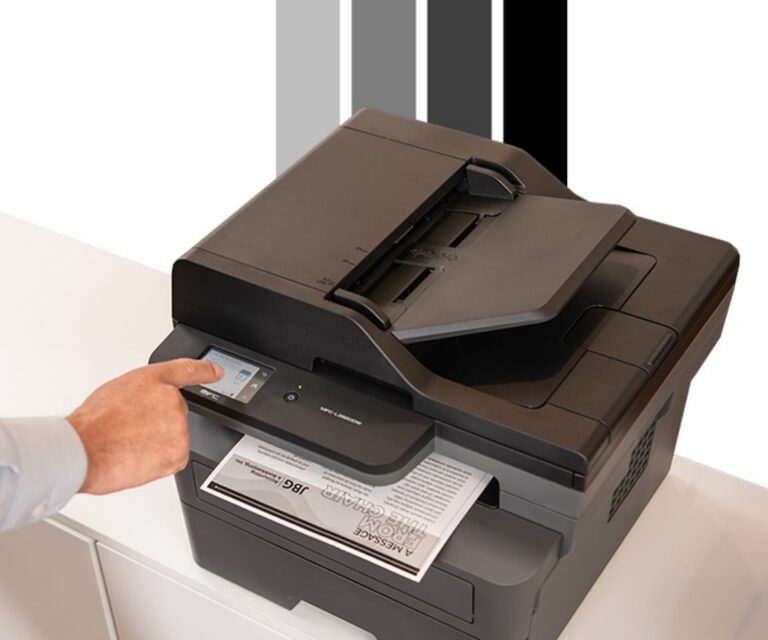
The MFC-L2820DW is ideal for WFH professionals who frequently print black-and-white text documents.
Best for home and family use
 Check price at AmazonWe may earn a commission.
Canon PIXMA TS4320
This printer is a fantastic choice for occasional home use.
Best for creatives
 Check price at AmazonWe may earn a commission.
Epson EcoTank Photo ET-8550
Creative users love the Epson ET-8550 for its photo-lab print quality.
At a glance
| Printer | Type | Print speed | Price | Best for |
|---|---|---|---|---|
| Brother MFC-L2820DW | Laser | Up to 34 ppm (B&W only) | $280 | Fast, high-volume black-and-white printing for home offices |
| Canon PIXMA TS4320 | Inkjet | 14 ppm (B&W), about 9 ppm (color) | $108 | Occasional home printing, school projects and simple scanning |
| Epson EcoTank Photo ET-8550 | Inkjet | Up to 16 ppm (B&W), 12 ppm (color) | $750 | Photo printing, creative projects and home studios |
What to look for in a home printer
Buying the first printer that fits your budget makes sense if you want to avoid overspending. However, if you use it every day, you might find it too slow or lacking features. On the flip side, you might be left wondering why you spent so much on an advanced model if you use it only once a month.
Before we dive into the top 3 home printers, we’ll quickly cover which specs, features and benefits are worth considering.
Inkjet vs. laser
These are the two most common types of home printers. Inkjets use ink, while laser models use toner. But what’s the real difference?
Inkjet printers usually cost less upfront and excel at photo printing, while laser printers generally print text documents faster. Toner costs more upfront than ink, but it usually gives you more pages and doesn’t dry out if you don’t use it.
Speed
Print speed probably isn’t a big concern if you only need to print occasionally. However, if your job involves lots of printing, waiting for pages to come out can hurt your productivity.
Print speeds are typically conveyed in pages per minute (ppm). Laser printers generally print text documents faster than inkjets, but speeds vary widely by model.
Features
Many printers offer features that make office work more manageable, including automatic duplex (double-sided) printing, scanning, copying and support for different paper sizes and types. If you want versatility, an all-in-one is the way to go. If you want affordability, you can pass on features you don’t think you’ll need.
Best for WFH professionals
1. Brother MFC-L2820DW
 Check price at AmazonWe may earn a commission.
Design
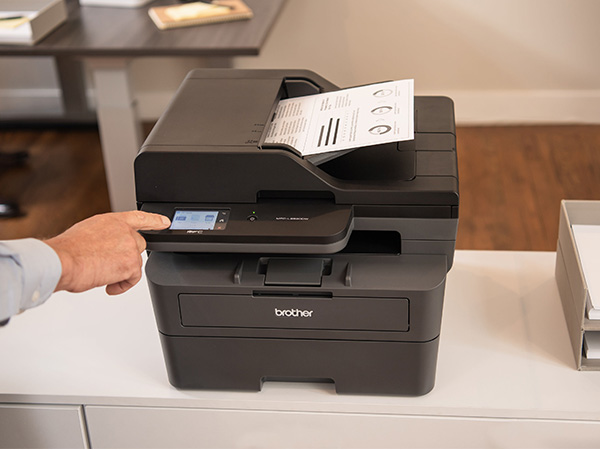
First up is the Brother MFC-L2820DW, an all-in-one laser printer that can do more than just print. You can scan, copy and fax from your computer, laptop or smartphone through the Brother Mobile Connect app. It’s widely praised as an excellent choice for anyone who works from home and needs fast, reliable printing.
Of our three picks, it looks most like what you’d expect to see in an office. It has a fairly small footprint despite its somewhat bulky appearance, making it a good choice if you have limited desk space. It is a bit tall because of the automatic document feeder on top, though, so keep that in mind if you want to set it up on a shelf rather than a desk.
What we like
It prints up to 34 pages per minute, which makes it ideal for bulk reports, and automatic double-sided printing helps you save paper on big jobs. The 50-page automatic document feeder is a nice touch, too: load a stack, hit scan or copy and let it go to work.
Beyond plain paper, it prints on envelopes and label stock, which is handy if you send out a lot of snail mail. The 2.7-inch color touchscreen makes it easy to operate, and you can customize up to 18 shortcuts to speed up your workflow. Dual-band Wi-Fi means you can connect nearly any device for hassle-free wireless printing.
Performance
The MFC-L2820DW excels at black-and-white text documents. Third-party testing shows text looks remarkably sharp across a variety of fonts, and the advertised 34 ppm works out closer to 33 in practice. That’s still more than twice as fast as the Canon PIXMA TS4320.
Scanning performance varies by content. It handles text-only documents reasonably well at about 7 pages per minute, but image processing can be a bit aggressive, washing out finer details in some image scans. Black-and-white images aren’t its strong suit either; independent lab testing found photos came out grainy and low-res.
Setup
Some printers are a real headache to set up, but this one is pretty straightforward. Many customers say connecting a phone, tablet or laptop takes just a few minutes, and the initial setup prompts you to connect your computer so you don’t have to do it manually later. The intuitive touchscreen strikes a good balance between ease of use and depth, and it does a great job of guiding you through Wi-Fi setup the first time.
One important note: some users found it difficult to set things up after skipping the initial onboarding. For the smoothest experience, follow the setup prompts before you start printing.
Ongoing costs
Because it uses toner, you don’t have to worry about ink drying out like you would with an inkjet. It comes with a starter cartridge that yields about 700 pages, so you can get going right out of the box. A standard replacement cartridge yields around 1,200 pages and costs about $40-$75, while high-yield cartridges cost about $100-$150 but print more pages, so you get more for your money.
You’ll also need to replace the drum unit eventually. That’s standard maintenance for laser printers, and it’s only necessary after about 15,000 pages. Drum replacement kits cost about $50.
What to consider
It’s a monochrome printer, so it prints only in black and white, which rules it out for photos. A few other limitations to know about:
- It prints double-sided automatically, but it can’t scan or copy both sides automatically, which slows down big two-sided jobs
- It supports wired USB connections but doesn’t include a USB cable
- Some customers report occasional connectivity issues
Our verdict
The MFC-L2820DW is the best of our three picks for anyone who needs to print often and fast. It can handle several dozen pages of black-and-white documents every day without slowing down.
If you work in design, it won’t cut it, and if you print only a few times a month, a cheaper option may serve you fine. But for small-business owners and home office workers who want low printing costs, or WFH professionals who need fast, reliable document printing, this compact all-in-one is our top choice.
Best for home and family use
2. Canon PIXMA TS4320
 Check price at AmazonWe may earn a commission.
Design
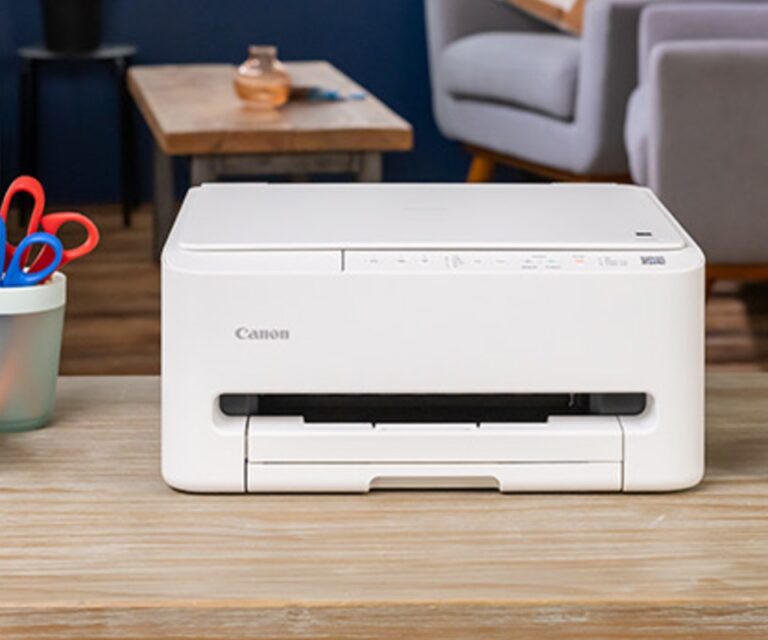
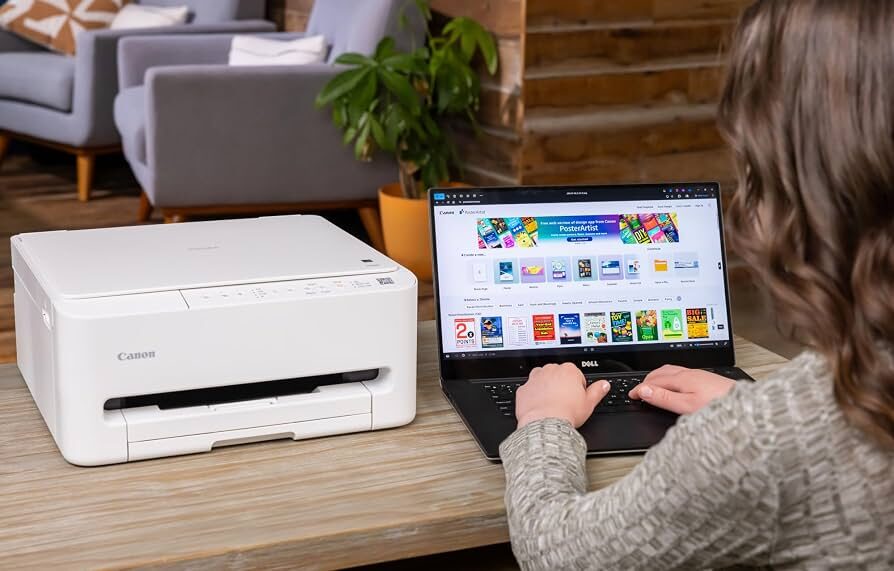
Next up is the Canon PIXMA TS4320, an inkjet printer with a much sleeker design than our first pick. Unlike the Brother MFC-L2820DW, it has a low profile, so you can place it on a shelf if you prefer that to a desk.
The paper input tray tucks underneath instead of sticking out the back, and the scanner lid blends seamlessly into the rest of the printer. You’d never guess it can scan just by looking at it.
What we like
It’s an all-in-one inkjet that’s surprisingly versatile for the price, letting you print, scan and copy. Unlike the Brother, it prints in color, so you can print color documents and photos.
It works with a range of paper types, including glossy photo paper, envelopes, labels and cardstock, which makes it one of the better picks for simple creative projects at home. Automatic double-sided printing helps you save paper, and the included ink cartridges last about 1-2 months with regular use.
It supports mobile printing through the Canon PRINT app, Apple AirPrint and Mopria, and you can even print hands-free with Alexa-enabled devices. Bluetooth and wired USB connections are there too if you prefer those over Wi-Fi.
Performance
Text on everyday documents like letters and reports looks sharp and clear. Color accuracy and clarity are impressive for things like newsletters, charts and graphs, and black-and-white and color images look decent for prints that don’t need much detail.
Borderless photo printing is a neat feature, so you won’t get white borders on full-page photos. It handles glossy paper well and can print a standard 4 x 6-inch photo in as little as 39 seconds. You’ll notice less depth in dark tones than with a premium photo printer like the Epson EcoTank Photo ET-8550, but colors are still vibrant and detailed.
At 14 ppm for black-and-white and about 9 ppm for color, it’s not fast, but it’s fine for occasional use and even small batch jobs. Scanning isn’t a standout feature either, but it works for the occasional document, receipt or photo ID.
Ongoing costs
It uses separate black and color cartridges, and each replacement costs about $20-$25. They last a long time if you print only a few times a month, but if you print often, ink costs add up quickly. A monochrome laser printer like the Brother MFC-L2820DW costs more upfront but is cheaper in the long run on a cost-per-page basis.
What to consider
The PIXMA TS4320 falls short of our other two picks in a few key areas. There’s no touchscreen, so you’ll set it up and change settings through the app on your device and rely on the physical buttons for scanning and copying. That makes setup less effortless than with other printers, and it can confuse some users.
Some users also report trouble connecting their devices, though switching from the 5GHz Wi-Fi band to 2.4GHz fixes it in many cases. Other drawbacks:
- No automatic document feeder, so you’ll have to scan and copy one page at a time
- Wireless connectivity issues aren’t uncommon
- Ink costs add up if you print frequently
Our verdict
It’s a basic printer next to the Brother MFC-L2820DW and Epson EcoTank Photo ET-8550. But because it scans and copies as well as prints, and handles color photos and text, it’s a terrific all-around pick for home and family use.
It may not be fast enough for many WFH setups, and images aren’t as pristine as with a dedicated photo printer, but it’s an excellent value if you just need to print the occasional document, school project or photo.
Best for creatives
3. Epson EcoTank Photo ET-8550
 Check price at AmazonWe may earn a commission.
Design
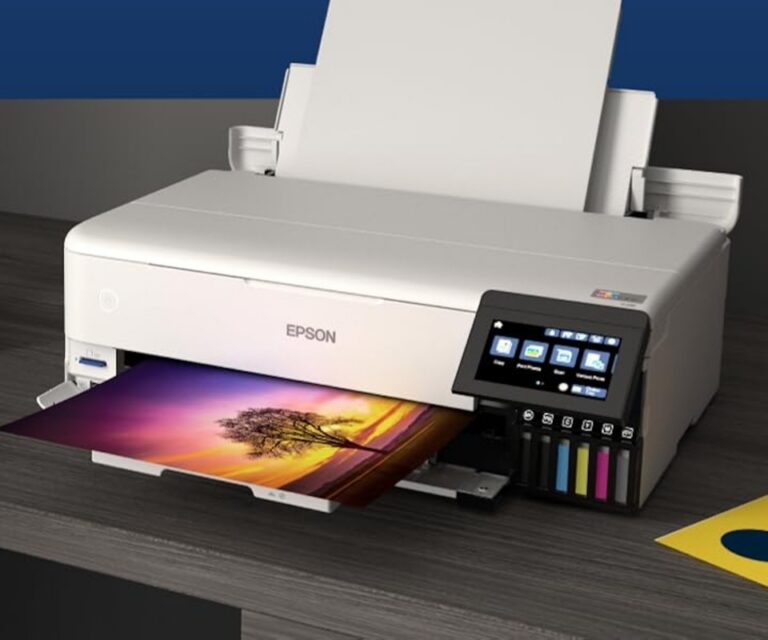
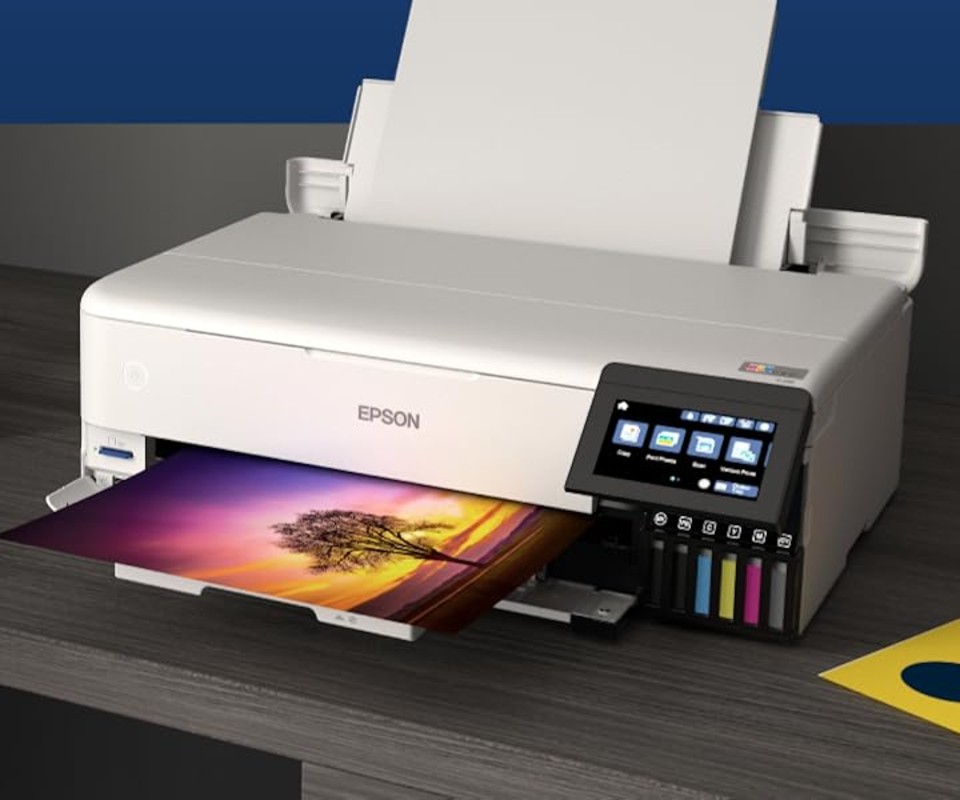
Last but not least is the Epson EcoTank Photo ET-8550. It’s feature-packed with a large footprint, but it’s not nearly as bulky as you might expect. There’s no paper tray sticking out the back and no document feeder on top, the kind of height that makes printers like the Brother MFC-L2820DW awkward on shelves.
Its low profile is closer to the Canon PIXMA TS4320, so it works on a desk or a shelf. It is significantly heavier than our other picks, though, so make sure your setup can accommodate it.
What we like
The ET-8550 is hands-down the most feature-packed of our picks. It does the big three (printing, scanning and copying) plus wide-format and edge-to-edge printing.
The rear paper feed handles specialty media like cardstock, envelopes, glossy paper and even DVDs. The 4.3-inch color touchscreen lets you control basic functions, adjust settings and manage connectivity, and the visible ink tanks let you check every color level at a glance, so a refill alert never catches you off guard mid-project.
It prints at up to 16 ppm for black-and-white text and 12 ppm for color, which is respectable for a premium photo printer.
Performance
The ET-8550 delivers results comparable to a professional photo lab, with borderless prints up to 13 x 19 inches (A3+). Photos show sharp detail and outstanding color accuracy, and its wide color range makes prints look richly saturated. The scanner also captures fine detail and outperforms the Canon PIXMA TS4320’s.
The software lets you preview a print before you commit, which helps you avoid wasting paper on poor-quality or badly laid-out prints. Unfortunately, you can’t see the preview on the printer’s own screen, though you can monitor print status there.
Ongoing costs
Despite its premium reputation, ink isn’t as expensive as you might think. Instead of cartridges, it uses refillable ink tanks, and it comes with about two years’ worth of ink in the box. When you run out, refill bottles are sold at most office supply stores.
A full six-color set of refill ink costs around $50-$70, and many users report it lasts a long time, even when printing colorful images at high volume. Many say they spend more on photo paper, which runs about $0.25-$1 per sheet depending on the brand. Even if you print regularly, the cost per page is lower than with standard cartridge inkjets.
What to consider
It’s expensive for a home printer, and a few other things are worth knowing:
- At 16 ppm for black-and-white, it’s less than half as fast as the Brother MFC-L2820DW for everyday text printing
- No automatic document feeder, so you’ll scan and copy one page at a time
- Paper jams in the rear feed and side tray are commonly reported
- As an inkjet, it’s susceptible to issues like print-head clogging
Our verdict
Creative users love the Epson ET-8550. For many, the incredible print quality justifies the high upfront cost, and not having to deal with cartridges is a major plus.
For constant home office printing, we’d still pick the Brother MFC-L2820DW for its speed. But the ET-8550 is absolutely worth a look for creative professionals, students and anyone into scrapbooking, card-making or other creative projects.
Which home printer is best for you?
That’s a lot of info to take in at once, so here’s the short version:
- If you print spreadsheets and reports all day, go with the Brother MFC-L2820DW.
- Looking for something affordable but versatile for occasional printing or scanning? The Canon PIXMA TS4320 gets the job done.
- The Epson EcoTank Photo ET-8550 is your best bet for photo and creative printing.
How we chose
We selected three printers based on their functionality, price and user feedback to give readers a range of options for different home printing needs. For each model, we evaluated its specifications, features and reported printing performance.
These reviews are based on research from external sources, including manufacturer specifications, user reviews, and independent lab tests and third-party reviews where available. We did not physically test the printers in a controlled lab environment.
What we could not test
- We did not physically test these printers. Print speeds, page yields and running costs come from manufacturer specifications and third-party reviews.
- Prices are approximate and change often, so check the retailer before buying.
Sources and further reading
- RTINGS.com: Printer reviews, Independent lab test results
- Consumer Reports: Printer reviews, Independent test results and ratings
- Amazon: Brother MFC-L2820DW, Specifications, pricing and customer reviews
- Amazon: Canon PIXMA TS4320, Specifications, pricing and customer reviews
- Amazon: Epson EcoTank Photo ET-8550, Specifications, pricing and customer reviews
Questions
Can I use cheaper third-party toner in the Brother MFC-L2820DW?
Often, yes, but it’s not guaranteed. The printer takes TN830 and TN830XL cartridges, and plenty of compatible versions are sold for less. Some owners report that Brother firmware updates have caused printers to reject or misread third-party toner. If you plan to use generic cartridges, buy from a seller with a solid return policy and think twice before installing firmware updates.
Will the Epson ET-8550 clog if I don't print very often?
It can. Like most inkjets, the print head can dry out or clog during long gaps between prints. Owners say printing a page or two every week or so keeps things flowing, and that turning the printer off with its power button lets it park and cap the print head. If you do get streaks or missing colors, run a nozzle check and head cleaning from the printer’s maintenance menu.